Programming
Full Coding Support
Ziva listens for coding questions and reads code shared on your screen, then provides a clear and concise explanation of the approach.
Learn MoreZiva provides a high-performance, undetectable environment for AI-assisted interviews and secure online assessments. Total isolation, zero footprints.
Access Ziva via Telegram
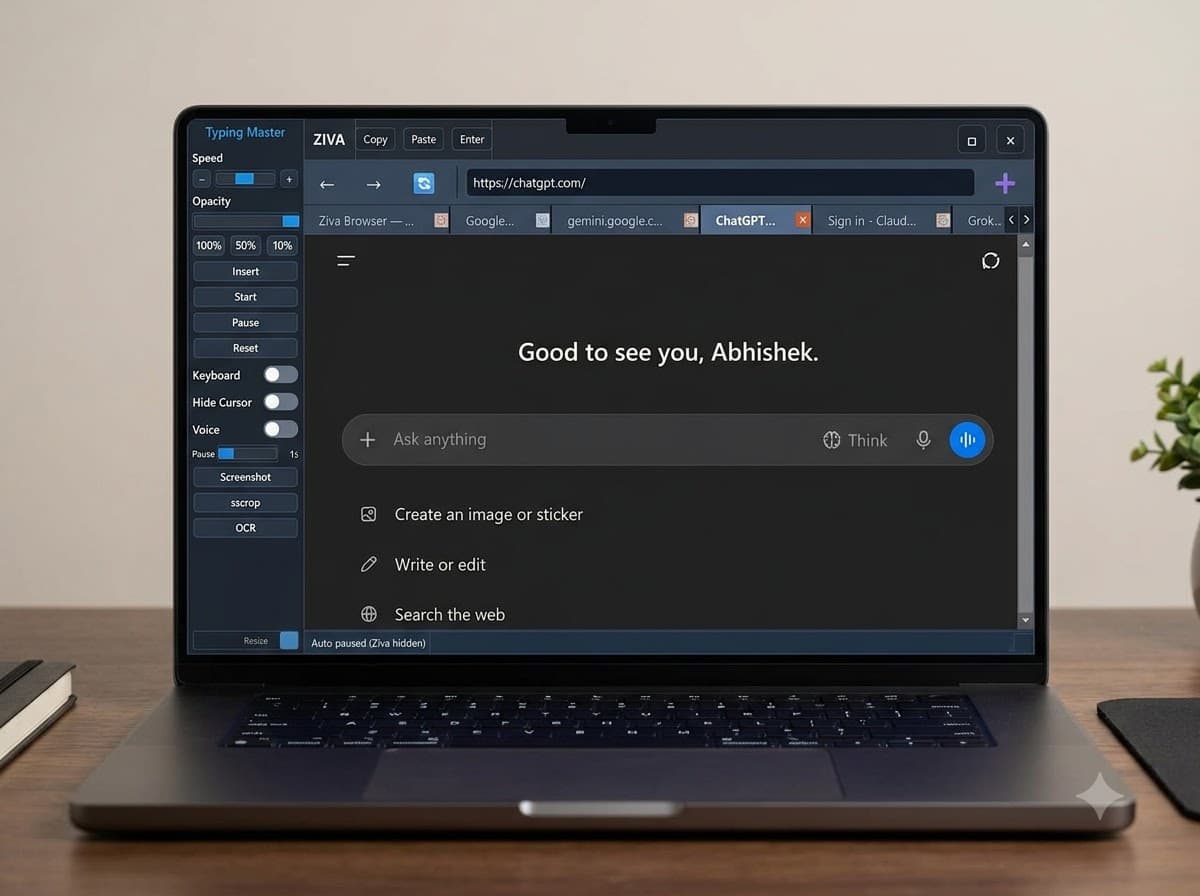
Switch tabs and tap a control to see what it does.
 ZIVACopyPasteEnter
Starts automatic typing from where the script left off, at the speed you've set.
 ZIVA
ZIVA
Hover or tap anything in the window above for a quick explanation, or click to try it. The status bar says what happened, just like the real app.
Starts automatic typing from where the script left off, at the speed you've set.
Code, Speech, and Answers, Handled Live. Get real-time assistance while the call is happening.
Ziva listens for coding questions and reads code shared on your screen, then provides a clear and concise explanation of the approach.
Learn MoreZiva uses state-of-the-art transcription models to provide fast and highly accurate speech.
Ziva provides 100% accurate responses using the best LLMs available for your calls.
Get real-time answers without distraction or judgment. Completely undetectable, completely yours.
Share your screen while Ziva stays completely invisible to others.
The app stays hidden from the Dock, with no icon or activity indicator.
The process has no visible name or icon in Activity Monitor.
Switch tabs or windows without platforms detecting that you moved away.
Your cursor stays unchanged when hovering, clicking, or adjusting settings.
Personal AI assistance for interview success.
Stay anonymous and secure during professional meetings.
Protected screen environments to crack OAs of companies like Amazon and Microsoft.
Maintain total control over your digital identities.
We’re currently handling access, setup information and product updates through Telegram.
Couldn’t find what you were looking for?Talk to us here ↗
Ziva Browser supports over 50 languages, including English, Spanish, French, German, Chinese, Japanese, and many more.
Yes, Ziva Browser supports coding calls and provides real-time assistance with coding-related questions.
Yes, you can provide instructions via the "Custom Instructions" feature.
Yes, it supports all types of online meetings, interviews, and calls.
We provide all major models including Gemini, Claude, and ChatGPT, as well as support for Google Meet and Telegram's built-in screen sharing.
The Ziva Browser desktop app currently supports Windows.